11/13/25 — New Accounts Dashboard
Get to your research faster with the redesigned post-login experience featuring immediate project access and platform updates.
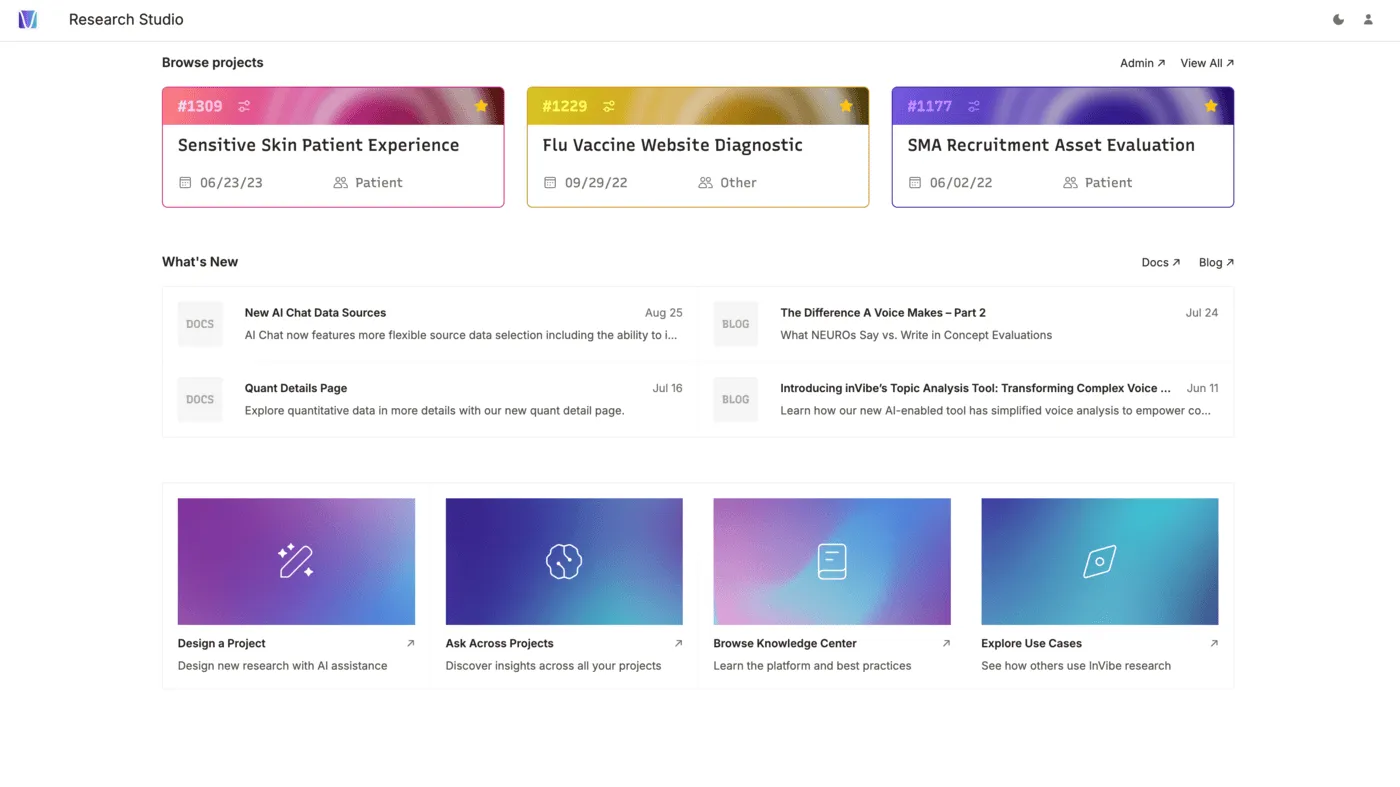
We’ve redesigned your post-login experience to get you to your research faster. The new Accounts Dashboard puts your active projects front and center, eliminating unnecessary navigation.
Your Work, One Click Away
The top of your dashboard now displays your 3 most recent projects as interactive tiles. Each card shows essential project information—name, number, date, and type—letting you jump directly into your research without navigating through menus.
Stay Informed
The What’s New section keeps you updated on platform improvements and research best practices:
- Latest documentation updates and blog posts at a glance
- Clear content badges (DOCS, BLOG) for quick scanning
- Direct links to browse all documentation and blog content
Quick Actions
Common workflows are now accessible through dedicated action cards:
- Design a Project — Launch AI-assisted project design
- Ask Across Projects — Query insights across your research portfolio
- Browse Knowledge Center — Access documentation and guides
- Explore Use Cases — Discover how others leverage the platform
Why It Matters
The new dashboard respects how you actually work: focused on current research, informed about updates, with quick access to essential tools when you need them.